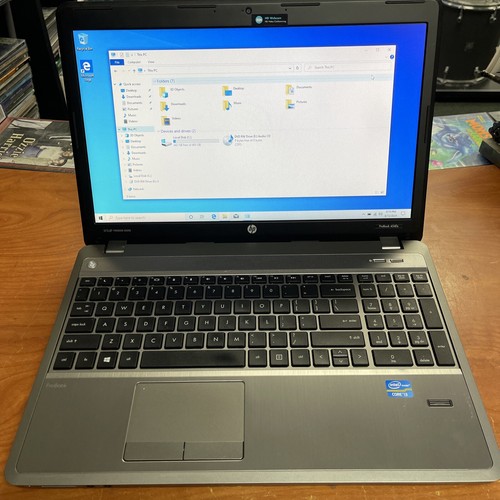
I recently picked up a free HP ProBook 4540s from Facebook Marketplace. It was advertised as non-working — when plugged in, the caps lock light blinked and the fans spun at full speed, but no display, no POST.
First suspect? Bad RAM? I swapped sticks and slots — nothing.
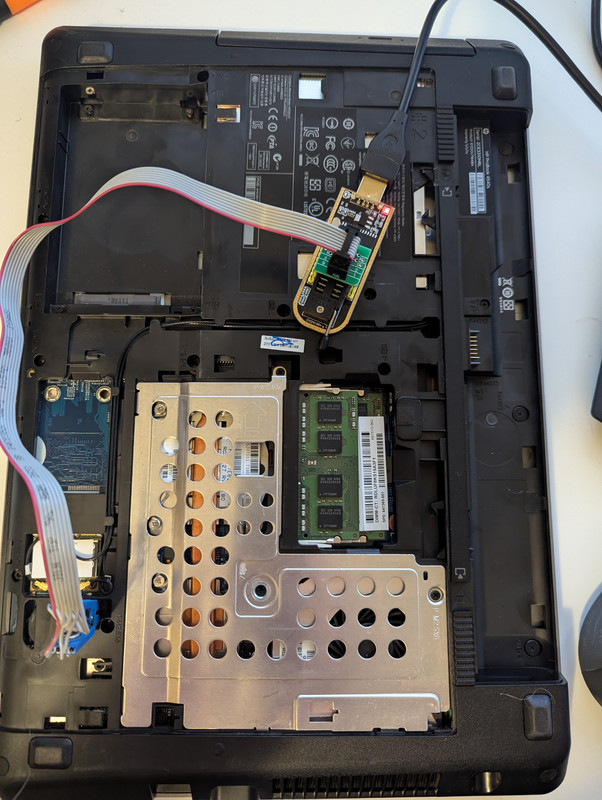
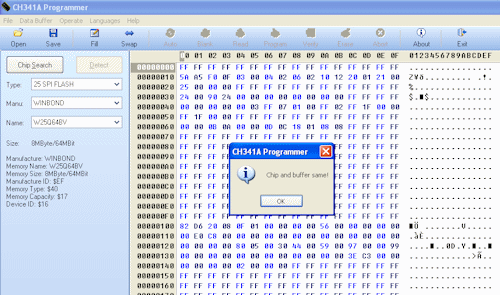
Digging deeper, I found an obscure forum post suggesting BIOS corruption is somewhat common in this model laptop. That led me to discovering a BIOS dump on another site (after plenty of hunting). I used a CH341A programmer and SOIC8 clip to flash the BIOS chip directly. No luck with flashrom (kept hanging), so I busted out my trusty Windows XP VM and the Chinese flashing software.
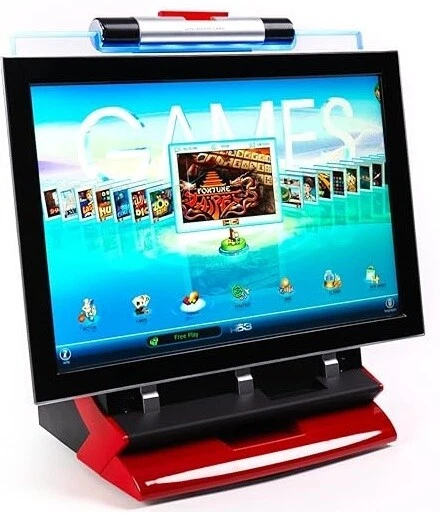
The JVL Echo and Encore are touchscreen arcade machines with 100+ games that used to be found in bars and restaurants. Now they are part of a forgotten era of arcade gaming, largely replaced by cell phones. However, a home collectors market is emerging for those who want to play these machines for their nostalgia.
I recently had a customer bring in his Echo. He purchased it from a vendor, but the operator setup menu was locked with a PIN number that nobody knew. I was tasked with trying to recover and/or reset it. JVL support said the only solution was a new I/O board for $380 which I would then have to pass on to the customer, so I decided to try other means.
Performing a factory reset on the machine made no difference. The PIN number still persisted even after replacing the internal SD card with a fresh installation. I assumed the PIN number must be stored somewhere on the internal I/O board. Looking at the I/O board, I saw an EEPROM which I dumped using a ch341a, but within the dump there was nothing remarkable.
So, I resorted to poking around in the software itself. The JVL software runs on top of a stripped down version of Linux. Having experience already working on these machines, I knew there was a webserver running on port 88 that allowed access to operator setup, but I did not know if that also required a PIN or not. Turns out it does not, and I was able to recover the PIN remotely via my web browser.
Below is the method I used to recover the operator setup PIN:
I obtained a shell by booting into the game and pressing CTRL + ALT + F2 which dropped me to a console.
My original method (easier/better method is below): I plugged in an Ethernet cable and set up networking by running ifconfig eth0 10.0.3.5 and confirmed I could ping my router
I navigated my desktop PC web browser to http://10.0.3.5:88/setuphd/machine/standalone/setup/setupsystem.htm which brought up operator setup with no PIN check
I navigated to Access Control and clicked the button “Change Operator’s PIN”. For some reason, I was unable to change the PIN from this screen. The web server appeared to hang and I had to restart the machine. So I decided to focus my efforts on recovering the PIN.
The PIN was prepopulated in the setup but obfuscated like a password, so I resorted to some jQuery. I opened the browser console and entered this code to load the jQuery library: var jq = document.createElement('script'); jq.src = "https://ajax.googleapis.com/ajax/libs/jquery/3.5.1/jquery.min.js"; document.getElementsByTagName('head')[0].appendChild(jq);
Next, I ran this code to return the value of any password box: $('[type=password]').val(); which yielded output '2233'
I went to the physical machine and entered 2233 and I was into operator setup!
As these games transition ownership from commercial vendors to home users, it’s inevitable that more games will be purchased with locked operator setups. This was a fairly straightforward way of recovering a lost PIN on these JVL machines, and I’m glad I was able to help give this machine another life.
Update 7/8/25: The above can be simplified without the need to set up networking, jQuery, etc. The PIN is available in plain text via http://machine_ip:88/REQUEST/SetupAccess_GetOperator. A simple netcat console command on the machine itself will do the trick.
echo GET /REQUEST/SetupAccess_GetOperator | nc localhost 88