Broderbund’s The Playroom is an educational game designed for young children, originally released in the late 1980s and later updated for CD-ROM in 1996. It features a variety of interactive activities meant to teach basic skills like counting, spelling, and problem-solving. The game was part of a series that included The Treehouse and The Backyard, each offering engaging environments for early learning.
My dad installed this game on our computer when I was a child, and I played it often. Now with a son of my own who is becoming interested in computers, I wanted to play the game with him on a more modern PC than what I had in 1996.
Installing The Playroom on a modern Windows 11 PC presents some challenges, as the game was designed for much older operating systems. To get it running, I used otvdm, a lightweight compatibility layer that allows 16-bit Windows applications to run on 64-bit Windows. Installation worked smoothly, but when I tried to launch the game, I encountered an error stating that The Playroom MPC requires a 256-color video driver.
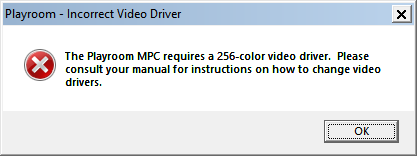
Of course, Windows 11 supports far more than 256 colors, but the game’s outdated compatibility check prevented it from running.
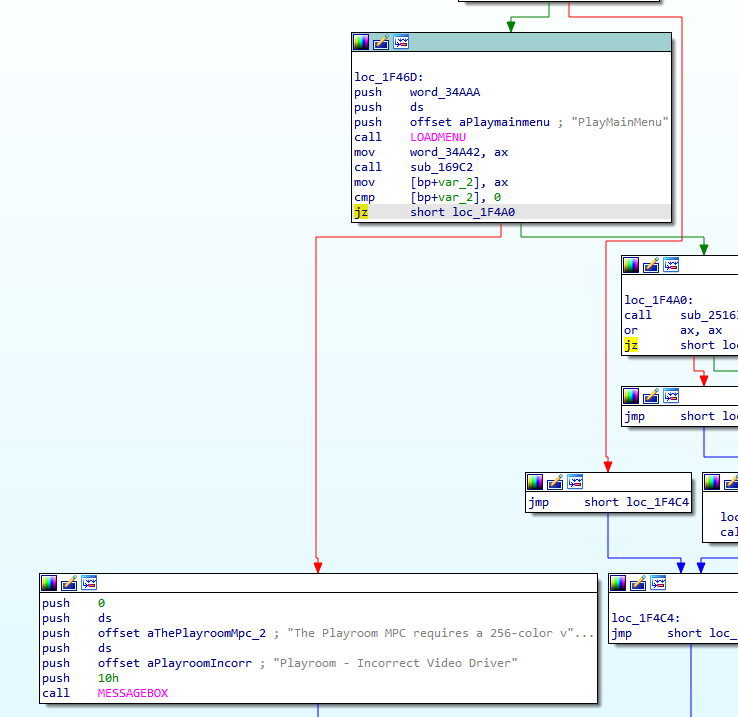
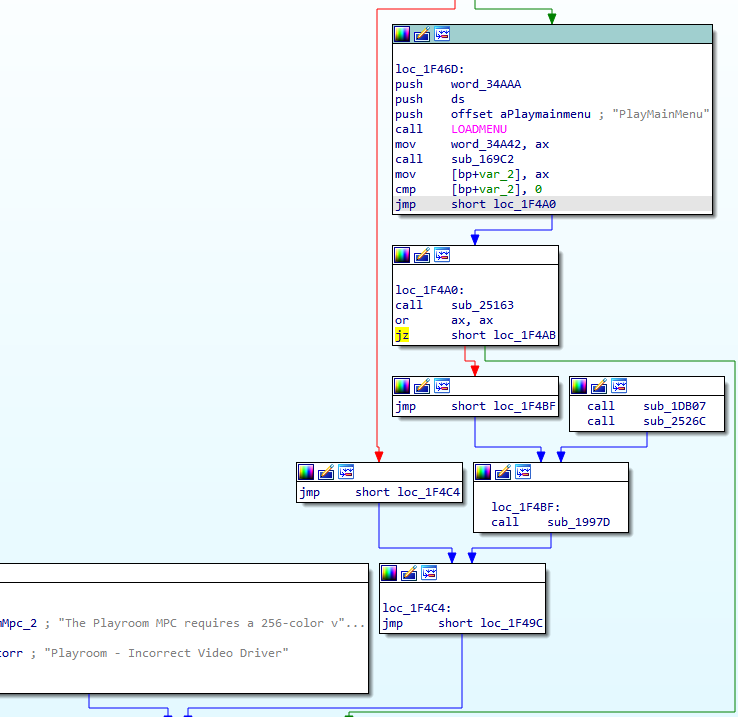
To bypass this limitation, I used IDA (Interactive Disassembler) to analyze the executable and locate the code responsible for the error message. I found a conditional jump instruction that triggered the message when the color depth check failed. By modifying just a single byte, I changed it to an unconditional jump, effectively skipping the check altogether.
In my version, I changed byte 0x285F9 from 74 to EB.
After this small patch, The Playroom launched successfully, proving that sometimes, a simple tweak can bring classic software back to life on modern hardware.
Before, with the check in place:
After, with the check patched out:
Playroom is now working on my Windows 11 machine.